

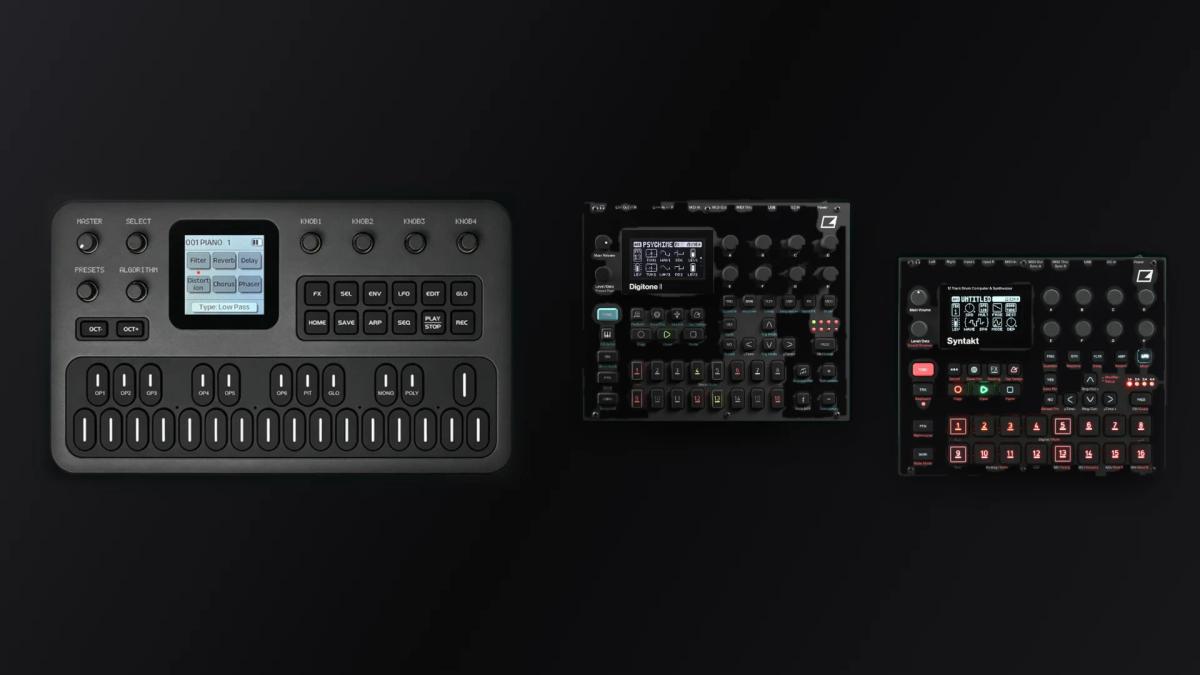
Skiff firmware is a free groovebox-style operating system for the M-VAVE FM-1, published by a developer who goes by illuminus5 on GitHub. It arrived in the middle of October 2026 and had passed through two major versions within about two weeks, which makes it a moving target for anyone writing about it. The central question is whether a project that changes this quickly can offer a stable base for performing, and what its documentation and installer do to limit the risk.
Table of Contents
What Skiff firmware is meant to be
According to the project’s GitHub repository, Skiff is GPL-3.0-only firmware for the FM-1 and, since version 1.4, for the M-VAVE SMK-37 Pro keyboard. It presents itself as a six-track groovebox with 14 synth and drum engines, a 64-step sequencer, patterns and songs, performance controls and a browser-based editor. The copyright line names illuminus5 and the year 2026.
It is a fork of Felucca 1.1.5 by Hügelton Instruments, the common base discussed in our article on Felucca. The README says Skiff is not Felucca, is not endorsed by Hügelton, and that bugs should go to the Skiff issue tracker. The README says that Felucca’s sounds and projects load in Skiff, while the 2.0 release notes add that the installer page converts Felucca projects and user sounds that version 2.0 cannot read directly, so the compatibility story depends on which version is in question.
Version numbers are the first fragile point. Skiff 1.0 was released on 12 October and 1.1 followed on 13 October, version 1.4 arrived on 20 October, and 2.0 followed on 24 October, twelve days after the first release. Version 2.0.1 appeared on 25 October, and at the time of writing the README and the browser demo named 2.0.3 as the latest. Anyone reading this later should assume the numbers have moved.
Engines, voices and the sequencer
The README of the Skiff firmware lists 14 engines, including ANALOG, FM6, DRUM, DRUM-X and PHYS, and 148 factory sounds. The first release had advertised 100 sounds, so the library has grown since. Six tracks share eight voices, or twelve when the second CPU core is enabled. The Skiff firmware project marks that second core as beta, warns that some units may not support it, and says the firmware falls back to a single core if the core fails to start.
The sequencer works on 64 steps per track and supports chords, ratchets, trig conditions, parameter locks and automation, a feature set more often found on much larger grooveboxes than on a pocket FM synth. Version 2.0 reorganised this area. The four earlier step pages became two: NOTES, a piano roll in which notes may overlap and carry their own lengths, and FEEL, which holds chance, ratchet, flam, nudge, accent and slide.
Sound design on the unit received attention in version 1.1, which added knob-based editing of FM6 patches operator by operator, plus a graph of each operator’s envelope and the algorithm. An INIT command on an FM6 track starts from a bare sine. Each track also has envelopes, LFOs and a modulation matrix, along with distortion, an insert effect, a slicer and ducking, according to the README.
Drums gained flexibility in 2.0. DRUM kits now offer three user slots that play the owner’s samples, and a lane mix sets level and pan for each drum lane. The browser editor has a matching drum kit option. A caution from the release notes is that the editor’s full backup does not keep sample levels, sample sends or hand-set slice points, which stay with the slot on the unit.
Songs, performance and screen
Skiff firmware organises material in a shared pool of 64 patterns, with a 16-entry list per track and a song mode. The 2.0 notes add chaining, in which a repeat count below one joins entries into one long pattern, along with song entries that can carry a track sound and a SONG ONCE option that plays each list a single time. These are practical arranging tools, and they sit alongside the song-oriented features of other firmwares such as SLOOP.
Live use is covered by quantized launching and muting, 16 scenes, “throws” and an FX layer. The 240 by 240 pixel colour screen offers six themes and a help map on the home page, and version 1.4 added custom theme colours editable from the web editor. Connectivity includes USB and TRS MIDI, MIDI Learn, a stereo USB audio input and clock from internal, USB or TRS sources.
A manual that doubles as a tutorial
The documentation is the most distinctive part of the Skiff firmware project. The “Learn Skiff” manual is organised into 20 chapters in five groups, from installing and finding one’s way around to making a first beat, shaping sound, arranging and performing, and setting up MIDI and the editor. Each chapter has a short video of the controls and opens with a line on what the reader will learn. A chapter on FM6 builds a sound from a bare sine, and the beat tutorial is described as taking about two minutes.
The manual also has a limit that its authors state openly. The 2.0 and 2.0.1 release notes said that some of the videos still showed version 1.3, and the README lists the re-making of the videos on 2.0 among the changes in 2.0.3, so the gap was short-lived, although later firmware changes may reopen it. A browser demo runs the same code as the hardware, with saves kept in the browser and no USB or TRS MIDI, which allows a first look without a device.