What the Hortator drum machine is and where it came from
According to the Hortator project page, the firmware turns the FM-1 into an eight-track drum machine and is labelled beta, installed at the user’s own risk. The README explains the name: on a Roman galley the hortator kept the rowers in time, and Hortator is meant to be the drummer for Felucca, the Nile sailing boat that gave the base firmware its name. The site’s page on Felucca covers that foundation.
The changelog shows how quickly it moved. Version 0.5.0, dated 6 October 2026, is described as the first numbered version, and it already had eight tracks, drum models, a sequencer, a compressor and LFOs. Version 0.26.0 is listed as released on 28 October 2026, the newest entry in the changelog at the time of writing. The project page itself states no version number, so the figure should be treated as a snapshot.
Forty-five engines in three banks
The engines are split into three banks. The MD bank has 21 engines, of which 13 are called TRX and 8 EFM, and the project page says they were measured from Joe Landers’ Machinedrum emulator, a fork of Gearmulator, using measurements only and no code or data from it. MODERN has 10 engines, including ACID, a 303-style bass voice, and CLASSIC has 14 engines from the 808 and 909 family. There are 151 factory presets and 128 user slots.
A few details qualify the Machinedrum claim. The changelog describes the TRX voices in version 0.19.0 and the EFM voices in 0.20.0 as measured from a classic digital drum machine, knob by knob, from an emulator’s renders. It names the Machinedrum explicitly for a preset bank in 0.21.0, and the README states that Hortator is not affiliated with Elektron or with the emulator’s authors. How closely the results resemble the original is a judgement left to the author and to reviewers, and this article has not compared them with hardware.
Other sound sources come from open projects. The README credits Mutable Instruments code for drum algorithms, the Grids pattern generator and a Streams-based compressor, with resonators from DaisySP and samples from the Versilian Studios collections under CC0. Every track can also ring through a resonator tuned in semitones, and a slicer, distortion and filter sit before shared delay, reverb and chorus.
Sequencing, locks and performance tools
Each track runs up to 64 steps, set 16 at a time, with its own length, division and swing. Steps carry probability, ratchet and accent settings, and can be flagged to play only during a fill. Version 0.24.0, dated 25 October, added Elektron-style parameter locks, so a step can hold its own value for a knob.
The changelog notes that locks and recorded motion share a pool of 1,024 events per project, and that a project saved by 0.24.0 appears as an empty slot on 0.23.x, so going back to an older version is described as safe but unsupported.
MOTION records knob movements into a pattern, and each track has two LFOs with ten wave shapes. Grids, the Mutable Instruments pattern generator, offers three channels that any track can follow, and the compressor can be keyed by a chosen track, such as the kick, to duck the others. Four project slots, A to D, are stored in flash, and song mode chains up to 16 project rows with repeat counts. Version 0.26.0 added eight variations per slot that can be queued to switch at the end of a pattern.
Live playing is handled by the PERFORM layer. Holding the FX button turns the black keys into master effects such as repeat, reverse, tape stop, filter sweeps, freeze and octave shifts, while the white keys mute tracks for as long as they are held. The Hortator drum machine also has a browser simulator that runs a WebAssembly build of the real firmware, which lets readers see the interface before touching their hardware.
Panel layout and workflow details
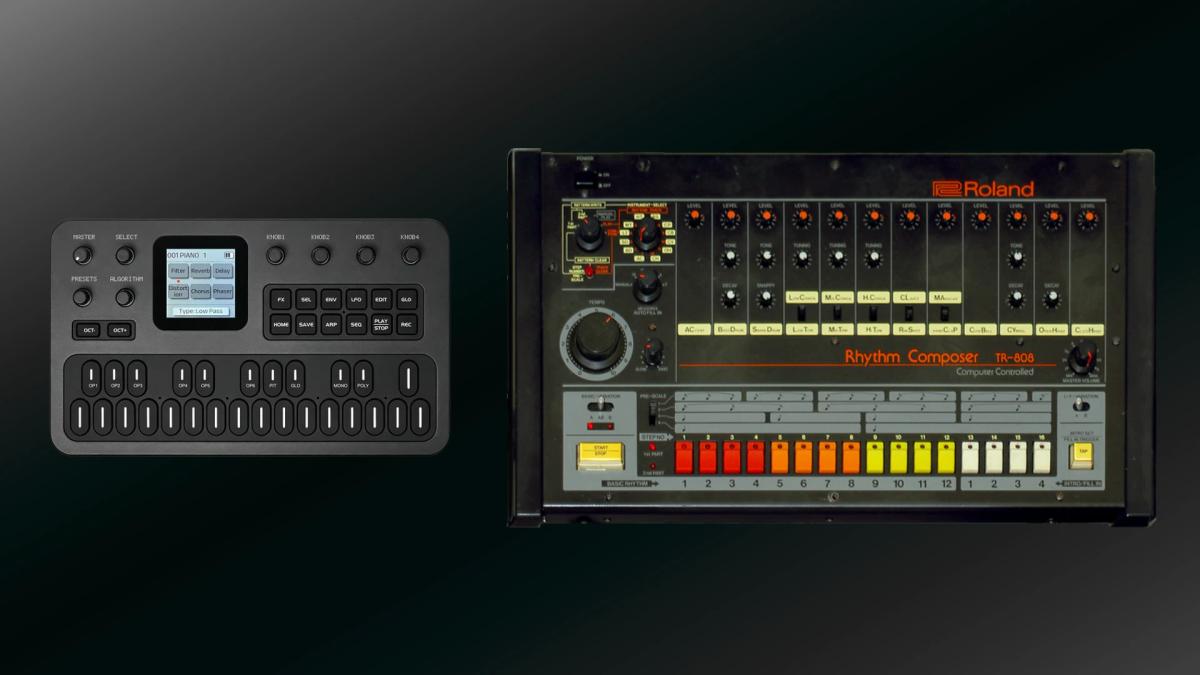
The controls are mapped to function rather than to layers of menus. HOME is the main screen and compressor, EDIT opens the selected track’s sound, SEQ holds steps, patterns, motion and song, FX covers effects, ARP leads to Grids, LFO to the modulators and GLO to global settings. The ALGORITHM knob selects the track, SELECT turns the pages of a section (and sets the tempo on the HOME screen’s TRACKS mode), PRESETS loads presets and the four knobs edit what the screen shows. The simulator also maps these controls to a computer keyboard.