Home›Reviews›Fantom vs Nautilus: Live-ready integration or sound div…
Reviews

Fantom vs Nautilus: Live-ready integration or sound diversity for the studio?

Fantom vs Nautilus: how do they really differ? We break down sound, controls and value from Perfect Pick’s hands-on video test to help you choose.

Bernardo de Azevedo
Bernardo de Azevedo
· Updated
Roland Fantom vs Korg Nautilus comparison

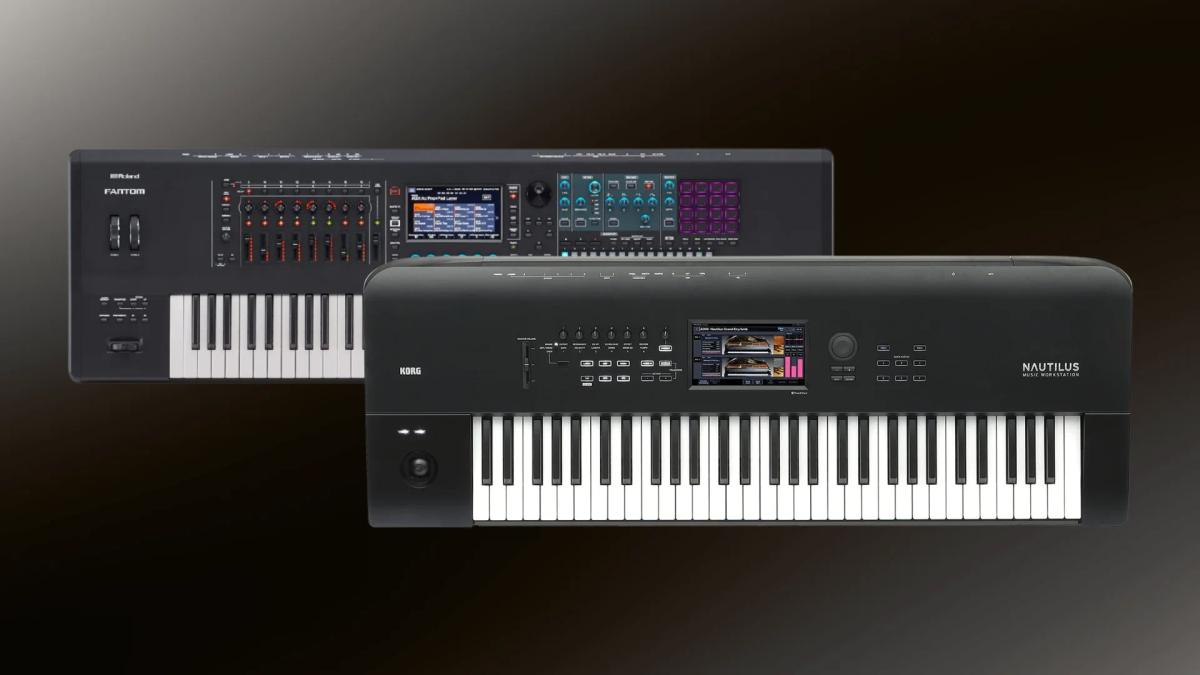
Choosing between the Fantom and the Nautilus? This Fantom vs Nautilus comparison summarizes what Perfect Pick found when testing both instruments, so you can see how they differ in sound, controls and value before you buy.

Perfect Pick opens with a framing question that comes up constantly in forums and comment sections: which of the Roland Fantom and Korg Nautilus workstations should you bring into the studio or on stage? The video is a spoken overview rather than a hands-on shootout, so it is organised by feature and use case: sound engines, workflow, keyboards, expansion and integration.

Source video: Roland Fantom Vs Korg Nautilus | Synth Workstation Showdown (Perfect Pick, YouTube)

Table of Contents

  • Sound engines
  • Workflow and interface
  • Keyboards
  • Expansion and integration
  • Which one makes more sense?

Sound engines

The Fantom, in the video’s description, is built around Roland’s ZEN-Core engine, with detailed sound design, a vast array of voices and the ability to combine PCM, virtual analog and even physical modelling. The Nautilus is described as a stripped-down version of the flagship Kronos that brings some of its best features at a more accessible price. Its strength is nine distinct synthesis engines, from HD-1 PCM to more complex engines such as modal and waveshaping VPM, covering realistic acoustic sounds to ethereal synthetic textures.

However the Fantom vs Nautilus debate plays out for you, the best test is still playing both instruments side by side.

Workflow and interface

The Fantom is presented as designed with performance in mind: a responsive touchscreen combined with tactile controls such as knobs and sliders for swift adjustments. A multi-scene setup allows layers and splits with seamless transitions in which notes are not cut off. The Nautilus is described as simplifying the experience, prioritising accessibility and ease of navigation, with a touchscreen and quick-access controls to a fast sound library. It has a set list mode for organising sounds and settings for a gig, and a comprehensive effects engine.

In the Fantom vs Nautilus comparison, price and playability matter as much as raw sound.

Keyboards

The Fantom 8 uses a keyboard that combines wood and plastic with aftertouch, while the 61 and 76 key models are semi-weighted. The 88-key Nautilus uses the RH3 real weighted hammer action, which appeals to pianists, and the lighter keybeds on the smaller Nautilus models suit synth and organ parts.

Expansion and integration

The Fantom can act as a control surface for various DAWs and import WAV files directly into its sampler. The Nautilus has expansion with a focus on composition and arrangement, with KARMA technology and a drum track feature that help develop ideas quickly. Its MIDI support is excellent, but its physical integration with other studio gear is said not to match the Fantom’s depth, focusing more on in-the-box production.

Fantom vs Nautilus: which one makes more sense?

The video’s conclusion is a use-case split. If live performance and seamless integration with other gear are priorities, the Fantom might be the better choice. If you are looking for a studio-centric workstation with a wide range of sound generation options, the Nautilus could be more appealing. Both can be the centrepiece of a setup, and the decision should follow your needs and the musical contexts in which you operate.

That is the Fantom vs Nautilus decision in short: match the instrument to the sound and workflow you actually want, and weigh the price difference before you commit.

If you can, audition the Fantom and the Nautilus in the same room, through the same speakers or headphones, and with the same patch ideas. Start with a basic sound on each, then move on to the kind of part you actually play: a bass line, a pad, a lead or a layered keyboard sound.

Pay attention to how quickly you can get to a sound you like, how the controls feel under your hands and whether you keep reaching for the same instrument. That kind of hands-on time will tell you more about the Fantom vs Nautilus question than any list of specifications.

Related comparisons

Sources

Bernardo de Azevedo
Written by
Bernardo de AzevedoFounder & Editor

His connection with music began at age 6, in the 1980s, when his father introduced him to Jean-Michel Jarre's Rendez-Vous on vinyl. He works professionally in the legal field, while synthesizers became his space for abstraction and creative exploration. Founder of The Synth Source.