

Is synth hard to learn? Not especially, but learning synths involves two separate skills, and people often underestimate the second one. Playing simple parts on a synth is easier than playing piano, because one held note or a basic riff can already sound finished. Programming sounds (understanding oscillators, filters, envelopes and modulation) takes longer, typically weeks to get comfortable and much longer to master. You do not need piano training to start, and arpeggiators and sequencers let you make music before your keyboard technique catches up.
Table of Contents
Two skills: playing keys and programming sounds
Most of the confusion around this question comes from treating “learning synth” as one thing. It is two:
- Playing. Finding notes, holding chords, playing basslines and leads, using the pitch and mod wheels expressively. This is keyboard skill, and it overlaps with piano, but synth parts are often simpler: many classic synth lines are single notes, and many analog synths are monophonic anyway.
- Programming. Building and editing sounds: choosing a waveform, shaping it with a filter, controlling how it starts and fades with envelopes, and adding movement with LFOs. This is closer to learning a piece of audio equipment than learning an instrument, and it is where most beginners get stuck.
You can progress in either order. Some people play presets for years and barely touch a knob; others are excellent sound designers who play with one finger and a sequencer. Both are legitimate ways to make music with synths.
A realistic learning path
Everyone moves at a different pace, so treat these stages as an order to learn things in rather than a schedule.
- Get sound out and explore presets. Learn how to connect the synth to headphones or speakers, browse patches, and save one. Notice which knobs change what.
- Learn the basic signal path. Most synths follow the same subtractive layout: oscillator, then filter, then amplifier, with envelopes and LFOs modulating them. Once you understand this on one synth, it transfers to almost every other.
- Recreate simple sounds from scratch. Start from an “init” patch and build a bass, a pad and a pluck. These three cover most of the core concepts: filter cutoff and resonance, envelope attack and release, and detuned oscillators.
- Add modulation. Use an LFO for vibrato or filter movement, route velocity or aftertouch to the filter, and explore the modulation matrix if your synth has one.
- Branch out. Once subtractive synthesis feels natural, try other methods such as FM, wavetable or granular. Each has its own logic, and FM in particular has a reputation for being difficult.
Many players report feeling at home with stages one to three after a few weeks of regular sessions, but there is no reliable data on this, and it depends heavily on how much you practise and whether you already produce music.
Beginner-friendly synths
A good first synth has one knob per function, a clear panel and an active user community. Some examples we have covered:
- Analog mono synths such as the Novation Bass Station II or the Arturia MicroBrute teach the subtractive basics with every control on the front panel.
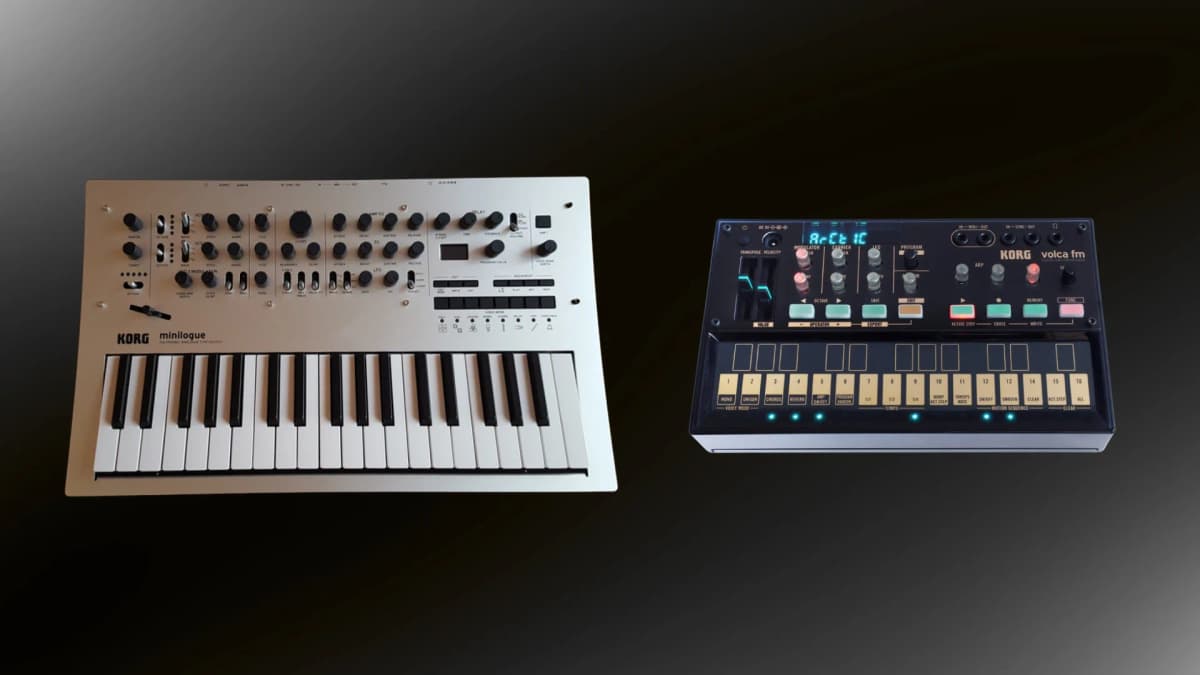
- Polyphonic all-rounders like the Korg minilogue xd let you play chords, and include a sequencer and arpeggiator.
- Compact digital synths such as the Arturia MicroFreak or Yamaha reface CS offer a wider range of sounds at a modest size. The MicroFreak’s many oscillator modes are fun but can be a lot to take in at first.
Free software to practise on
You do not need hardware to learn synthesis. Software synths show the same concepts on screen, often with visual feedback that makes them easier to understand.
- Vital is a wavetable synth with a free tier, available for Windows, macOS and Linux. Its animated displays make it easy to see what an envelope or LFO is doing.
- Dexed is a free, open-source plugin closely modelled on the Yamaha DX7. It is the cheapest way to start learning FM programming, and it loads original DX7 patch banks.
- Your DAW’s built-in synths. Most music software ships with at least one subtractive synth, and it is usually well integrated and documented.
Pair any of these with an inexpensive MIDI controller. If you are not sure what that is, see the difference between a keyboard and a MIDI keyboard.
Common hurdles
Menu diving
Some synths put many parameters behind a small screen and a few buttons. The 1980s digital era made this famous, and it is why the Roland D-50 and DX7 were notoriously hard to program from the front panel. If you want to learn, a “one knob per function” instrument is far more forgiving. Software editors help with menu-heavy hardware.