

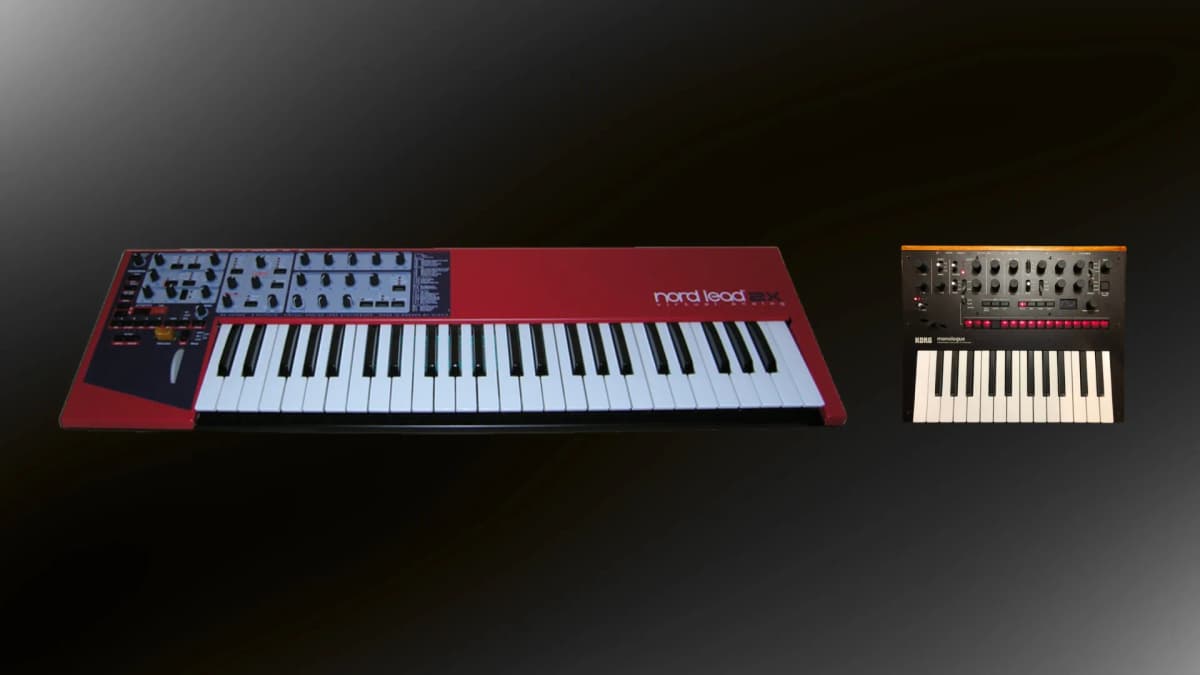
The main difference between a keyboard and a MIDI keyboard is that a keyboard (a digital piano, arranger keyboard or synthesizer) makes its own sound, while a MIDI keyboard makes none. A MIDI keyboard, or MIDI controller, only sends performance data such as which note you pressed and how hard, and something else has to turn that data into sound: usually software on a computer, tablet or phone, or a hardware synth or sound module. Many sound-producing keyboards can also send MIDI, so a synth can double as a controller, but a controller can never work on its own.
Table of Contents
What MIDI actually sends
MIDI is a protocol for describing a performance, not audio. When you press a key on a MIDI keyboard, it sends a “note on” message with the note number and a velocity value, then a “note off” when you let go. Turning a knob sends a control change message; moving the pitch wheel sends pitch bend. The receiving instrument decides what those messages sound like. The same performance can trigger a grand piano plugin, a drum sampler or an analog synth, and you can edit the notes afterwards in your DAW without re-recording.
A keyboard with its own sound engine does all of this internally: the keys feed its built-in sounds, which come out of its speakers or audio outputs. If it also has MIDI or USB, it can send the same data to other gear.
Side-by-side comparison
| Keyboard (digital piano, arranger, synth) | MIDI keyboard controller | |
|---|---|---|
| Makes sound by itself | Yes | No |
| Needs a computer or sound module | No | Yes |
| Audio outputs or speakers | Yes (speakers on many pianos and arrangers) | No (some have a USB connection to a host only) |
| Sends MIDI | Often, via USB and/or MIDI ports | Always; that is its only job |
| DAW controls (transport, mixer, plugin mapping) | Limited on most models | Usually extensive |
| Price for the same build quality | Higher, because it includes a sound engine | Lower |
| Best for | Playing without a computer, live use, practice | Producing with software instruments |
Connections: USB, 5-pin DIN and TRS
- USB-MIDI. The standard way to connect a controller to a computer or tablet. Most current controllers are class compliant, so they work without drivers, and they draw power from the USB port. The catch: USB devices generally need a computer or a USB host to talk to, so a plain USB connection will not drive most hardware synths directly.
- 5-pin DIN MIDI. The original round MIDI connector, still found on most hardware synths, drum machines and sound modules. A controller with a DIN MIDI out can play hardware without a computer. The Akai MPK Mini IV, Arturia KeyLab Essential mk3 and Novation Launchkey 88 MK4 all have one.
- 3.5 mm TRS MIDI. A minijack version of the same signal, used on compact devices. The MIDI Association standardised the wiring as Type A in 2018, but some earlier products use a different wiring known as Type B, so check which one your gear expects before buying an adapter. Novation’s Launchkey Mini MK4 uses a Type A TRS output, according to Novation’s support pages.
Expression: velocity, aftertouch and MPE
- Velocity measures how fast a key is pressed and is used for volume, brightness or sample selection. Practically every MIDI keyboard has it.
- Aftertouch measures pressure after the key is down, often used for vibrato or filter movement. Channel aftertouch applies one value to all held notes; polyphonic aftertouch reads each key separately. Budget controllers often skip it on the keys: the Launchkey MK4 range and MPK Mini IV have pressure-sensitive pads but no key aftertouch.
- MPE (MIDI Polyphonic Expression) lets each note carry its own pitch bend, pressure and a third dimension of movement, so you can bend one note of a chord. The MIDI Association adopted the first MPE specification in 2018. It needs both an MPE controller and an MPE-capable synth or plugin; synths such as the ASM Hydrasynth support it.
Knobs, pads, faders and DAW integration
Because a controller has no sound engine, its value lies in its controls. Knobs or endless encoders tweak plugin parameters; drum pads trigger beats and clips; faders control mixer levels; transport buttons start and stop recording. Most brands supply scripts that map these controls automatically to popular DAWs such as Ableton Live, Logic Pro, FL Studio, Cubase and Bitwig Studio. Arpeggiators, scale modes and chord modes are now common even on cheap controllers and help players who are not trained pianists. If that is you, see Is synth hard to learn?
Most synths are MIDI controllers too
Nearly every modern synthesizer with keys can send MIDI over USB or DIN. That means a Korg minilogue or a MiniFreak 49 can play its own engine and a software instrument at the same time, or its local sound engine can be switched off so it acts purely as a controller. What it usually lacks is deep DAW integration: few synths have transport buttons or automatic plugin mapping. Some musicians use one synth as the main keyboard and add a small controller for DAW control. The reverse is also common: desktop and rack synths with no keys, like the Waldorf Blofeld, are played from a MIDI keyboard.
How to choose
- Do you want to play without a computer? Buy an instrument with its own sounds: a digital piano for piano practice, a synth for electronic sounds.
- Are you producing in a DAW? A MIDI controller gives you more control and keys per dollar.
- Key count and feel. 25 mini keys fit on a desk and are fine for basslines and beats; 49 or 61 full-size keys let you play with two hands; 88 semi-weighted or weighted keys suit pianists.
- Hardware connections. If you plan to control hardware synths, look for a DIN or TRS MIDI output.
- Controls you will use. Pads for beat-making, faders for mixing, aftertouch or MPE for expressive synth playing.
Budget examples (current models)
Prices below are launch prices in US dollars; street prices vary.